Pick apps or websites
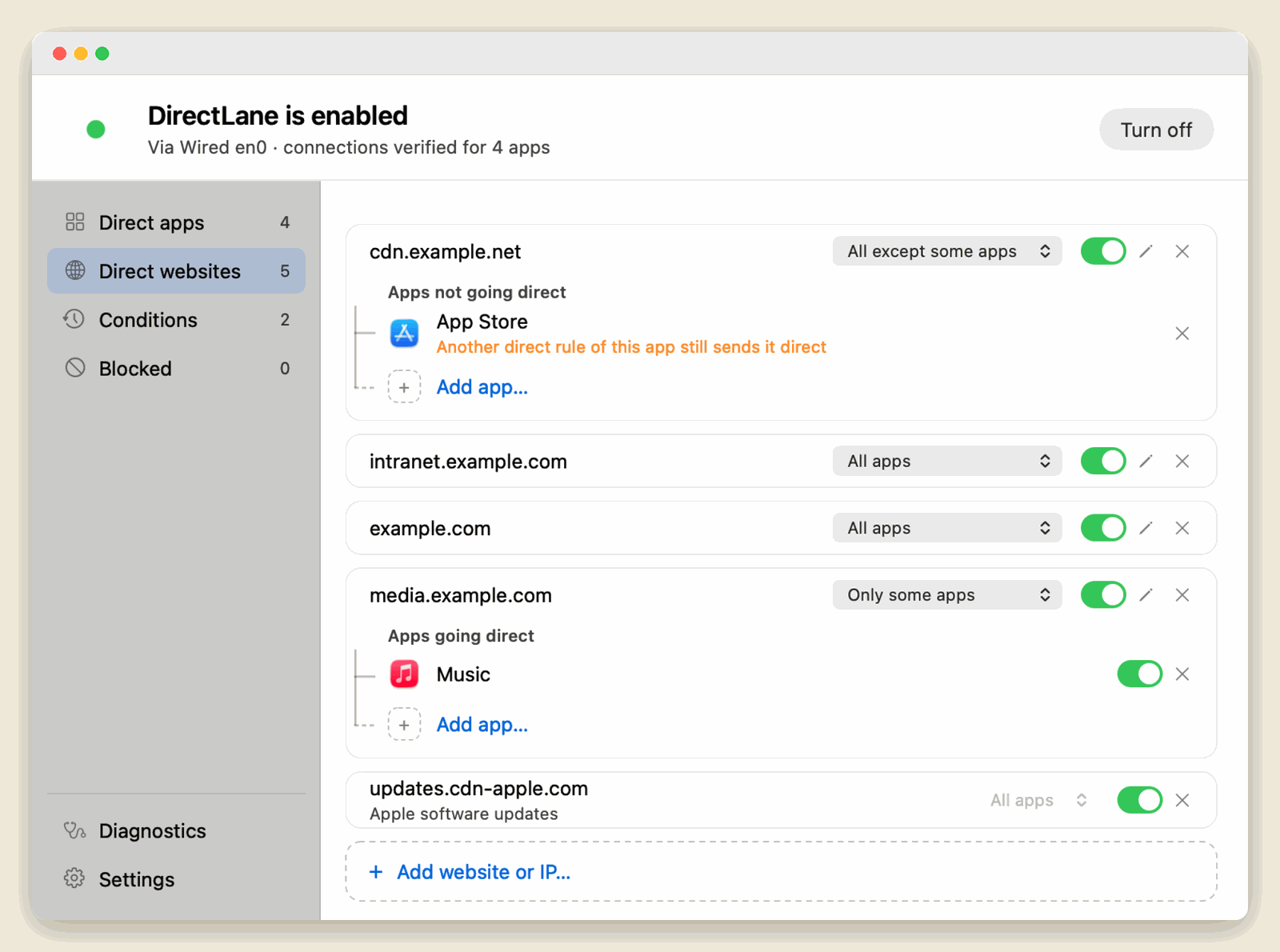
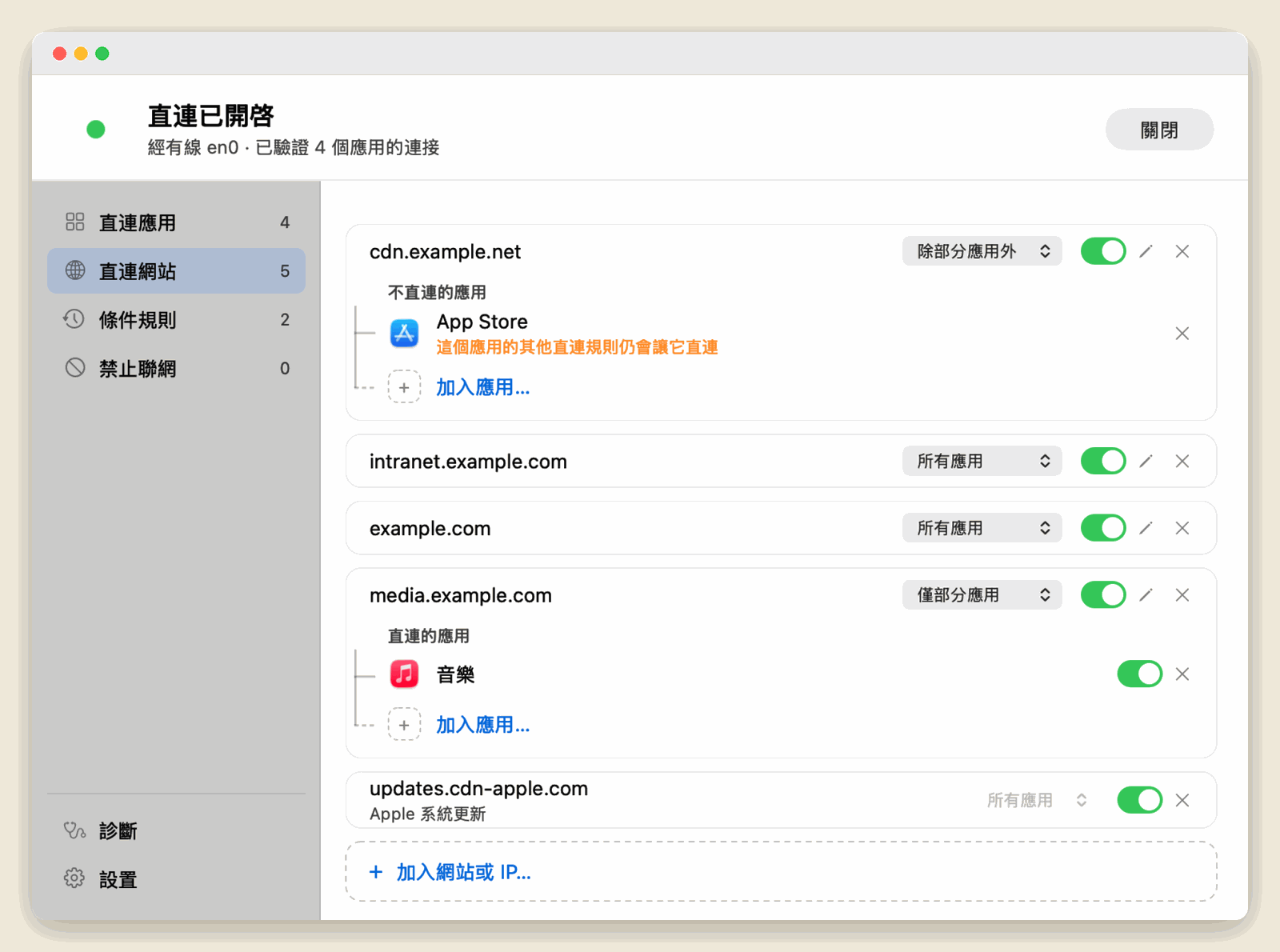
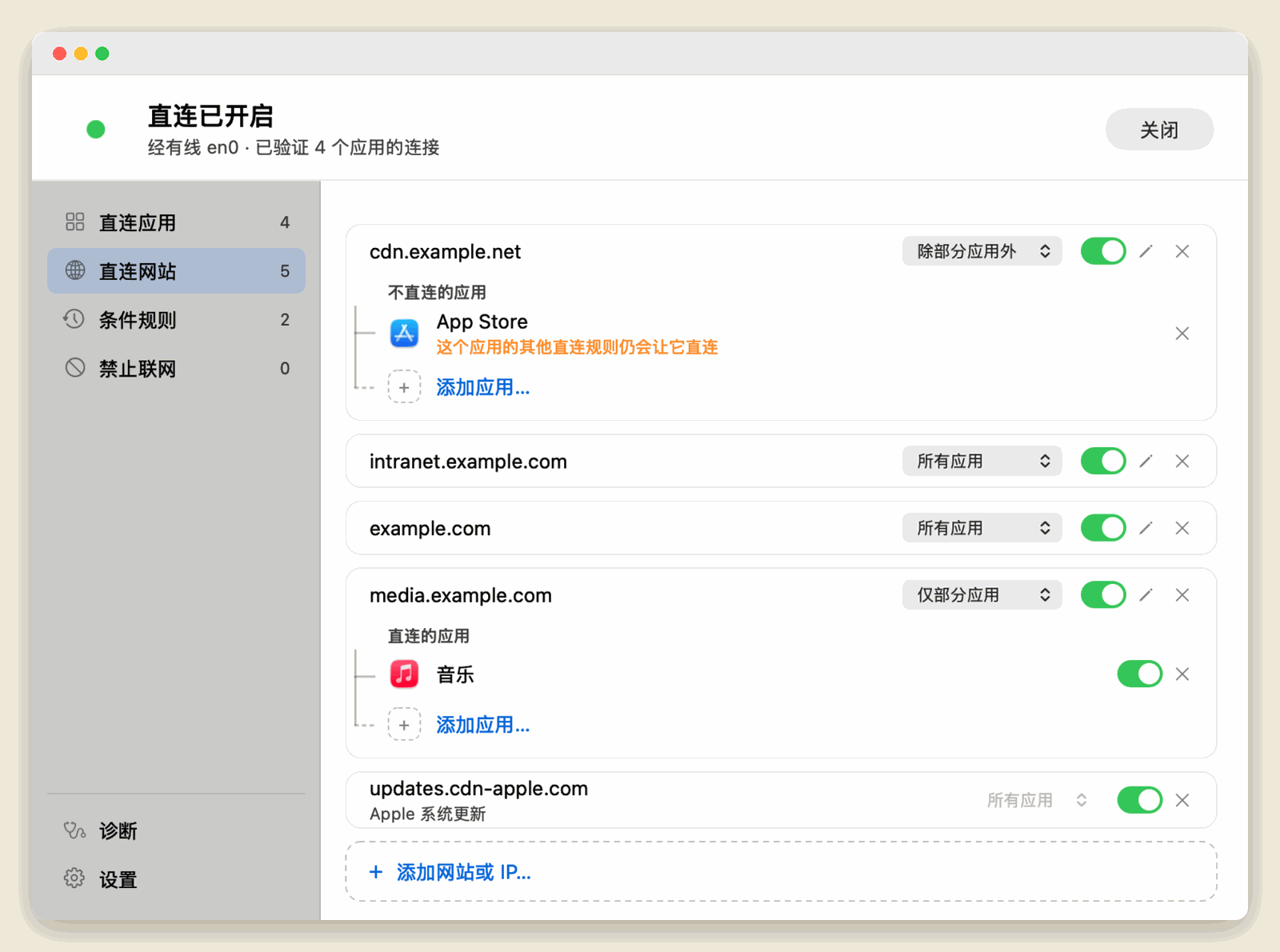
Send a whole app direct, or only some of its websites. You can also choose which apps reach a website directly.
MAC APP
The apps you pick connect straight through your Mac’s network card. Everything else keeps using Clash or your system network.
Planned price US$19.99 · One-time purchase · macOS 15 or later
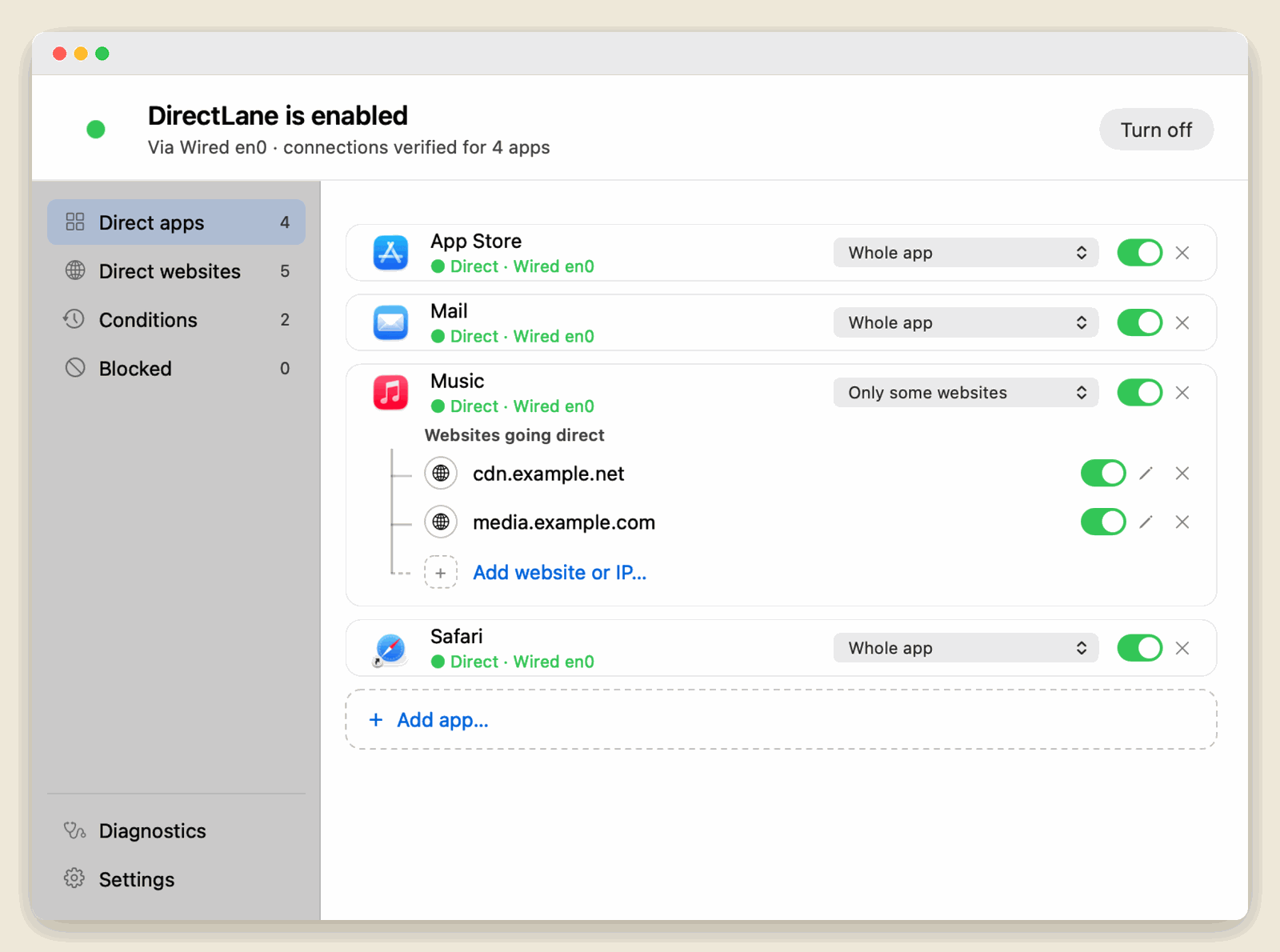
Send a whole app direct, or only some of its websites. You can also choose which apps reach a website directly.
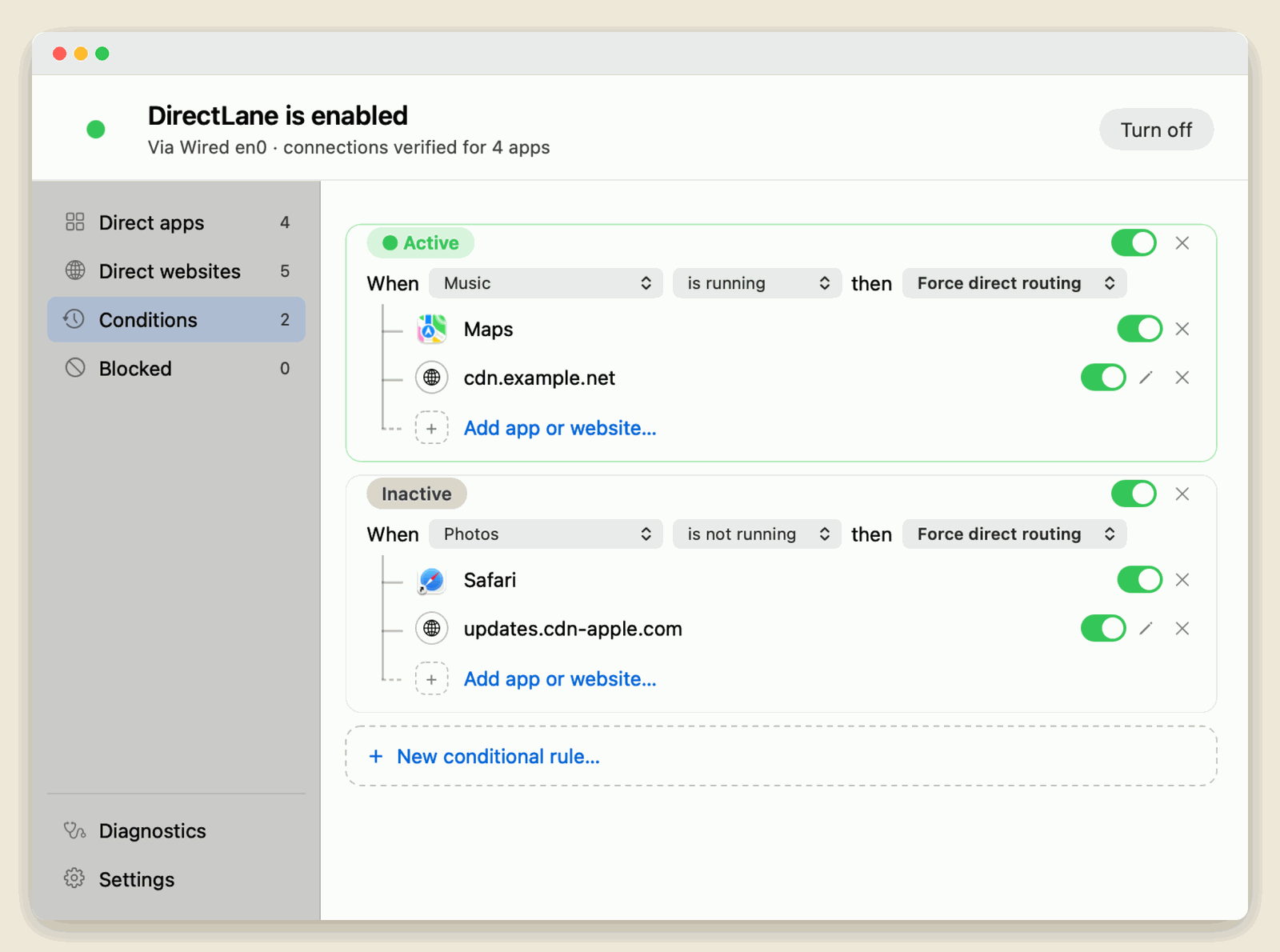
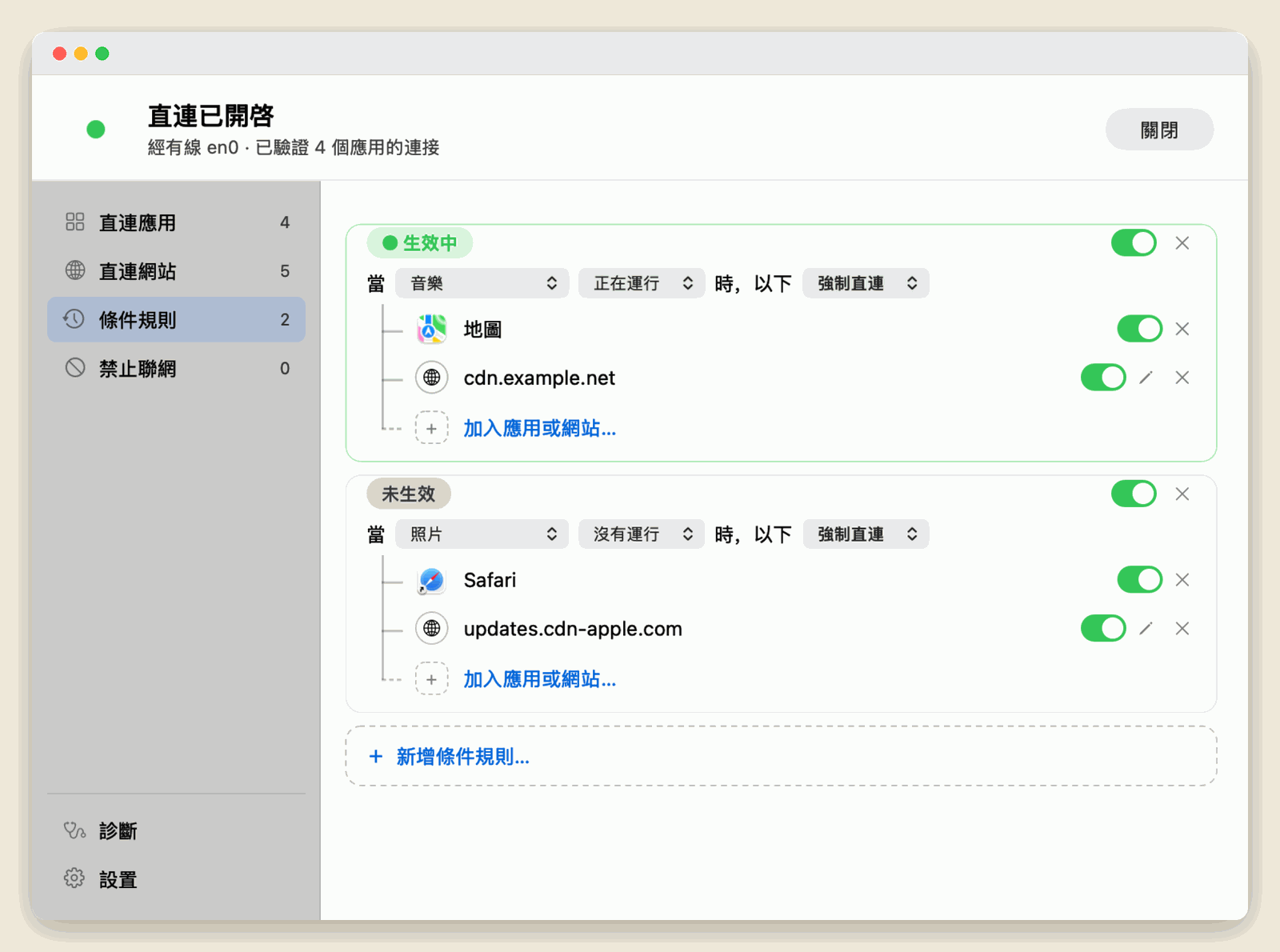
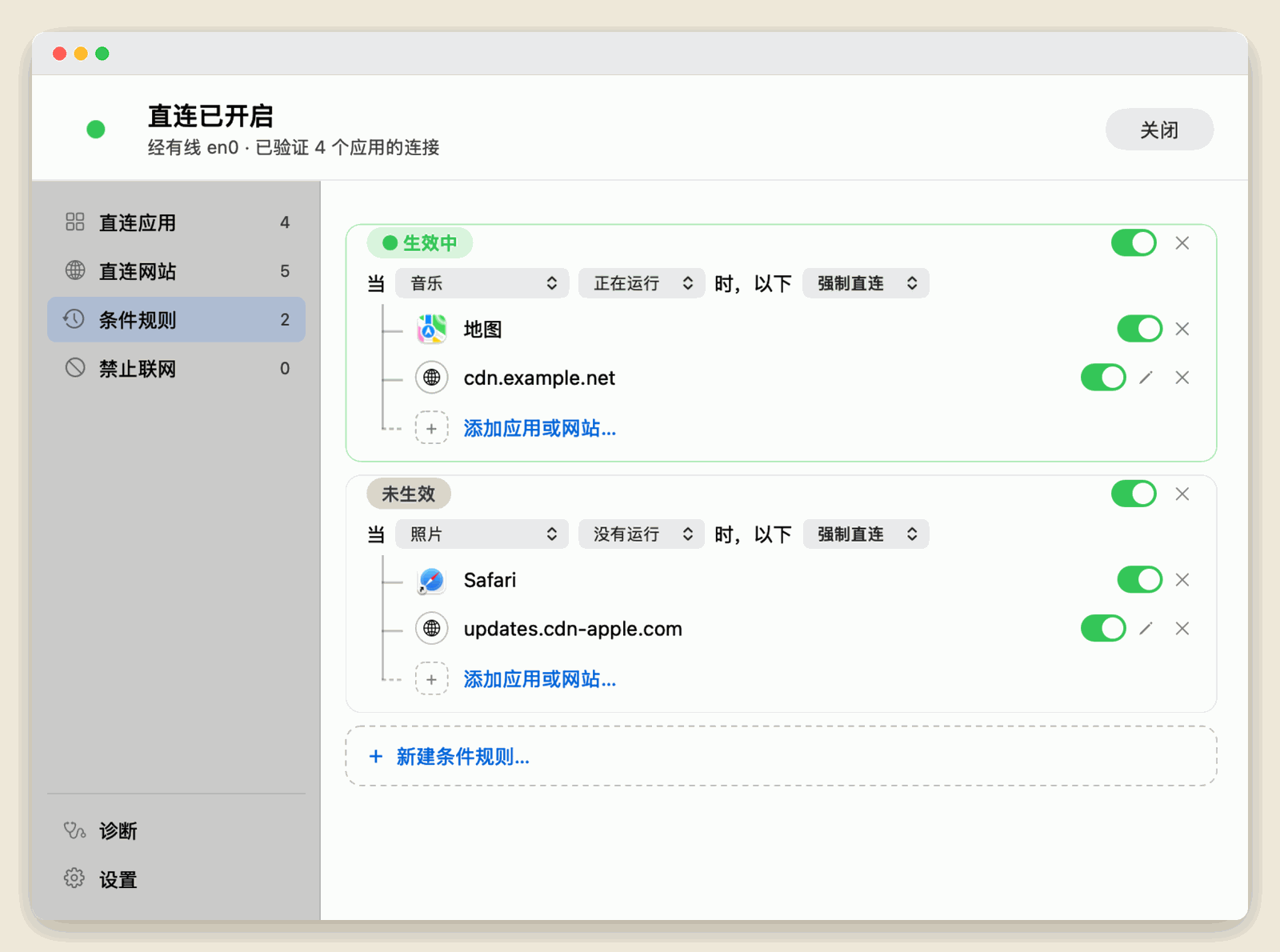
When one app is running or not running, automatically send a group of apps direct or block them. For example, keep sensitive apps offline while your proxy is off.
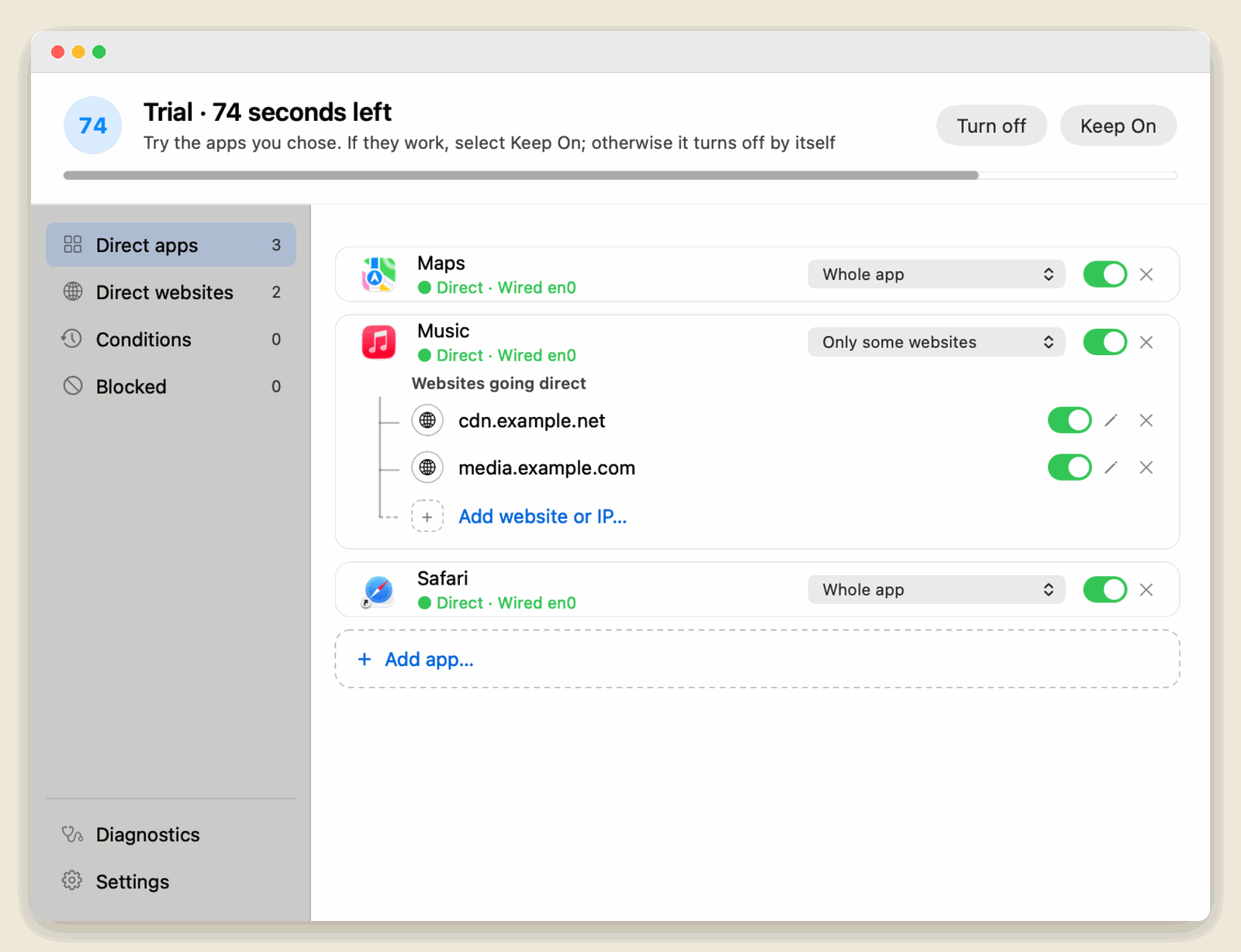
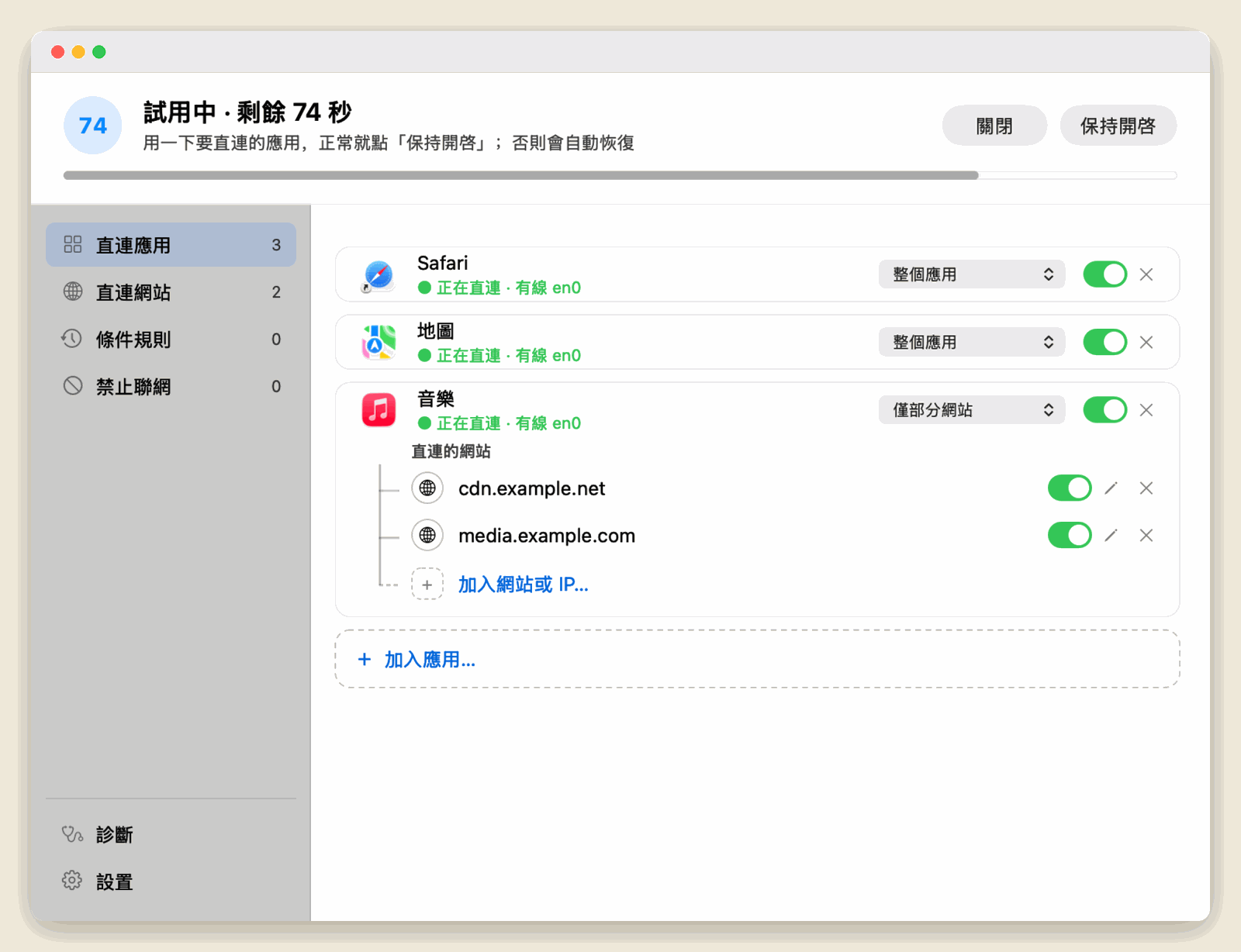
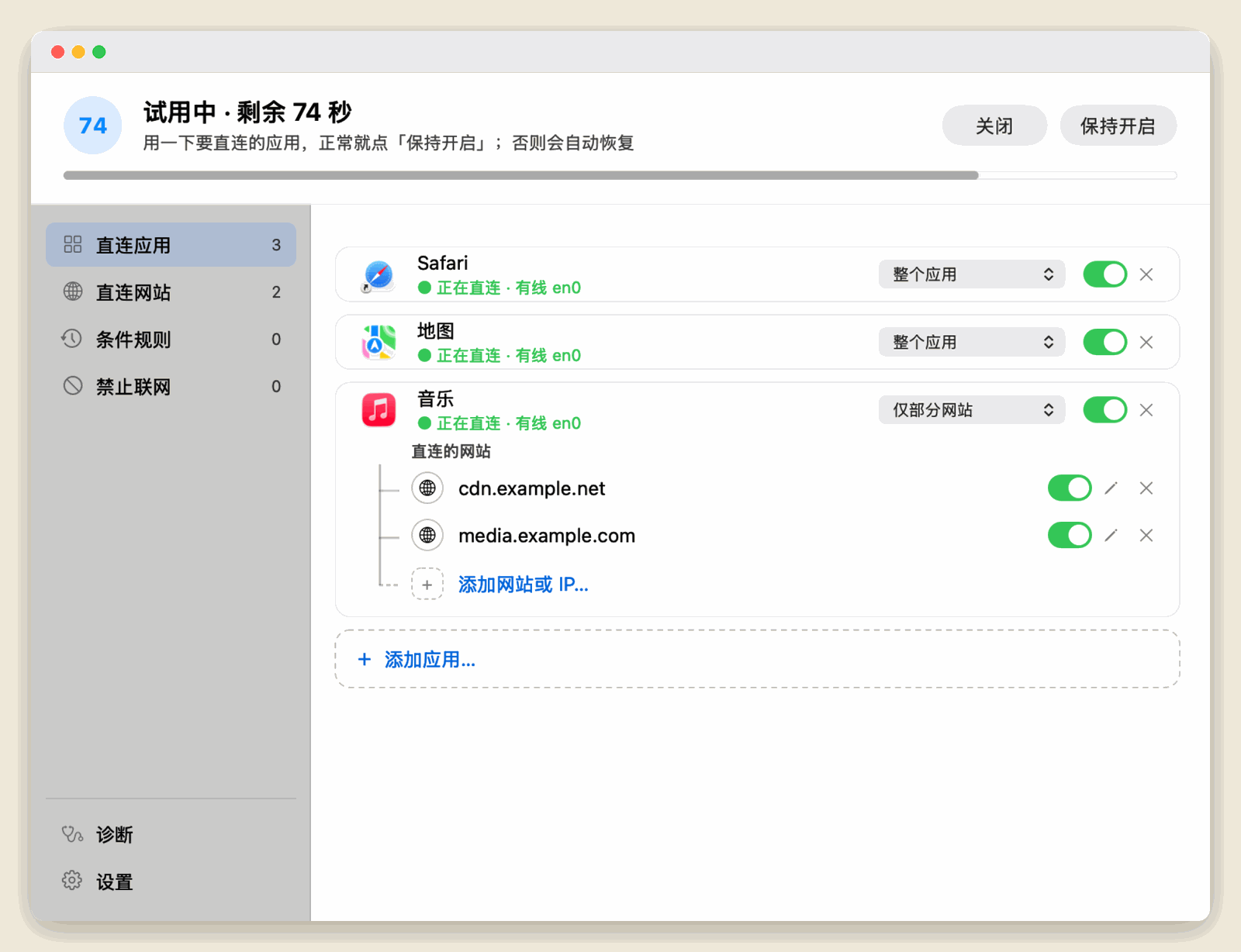
Every time you turn it on, you get a 90-second trial. If the network works, click “Keep on”. Otherwise your original network comes back by itself — nothing for you to do.
Open it and go. No sign-up, no sign-in.
No ads or analytics. Your rules stay on your Mac.
Leaves Clash and other proxy settings alone, and works without a proxy too.
Every app shows whether it really went through your network card.
MAC 應用程式
選中的應用程式直接從本機網路卡連線,其他流量照常走 Clash 或系統網路。
預定售價 US$19.99 · 一次購買 · macOS 15 及以上
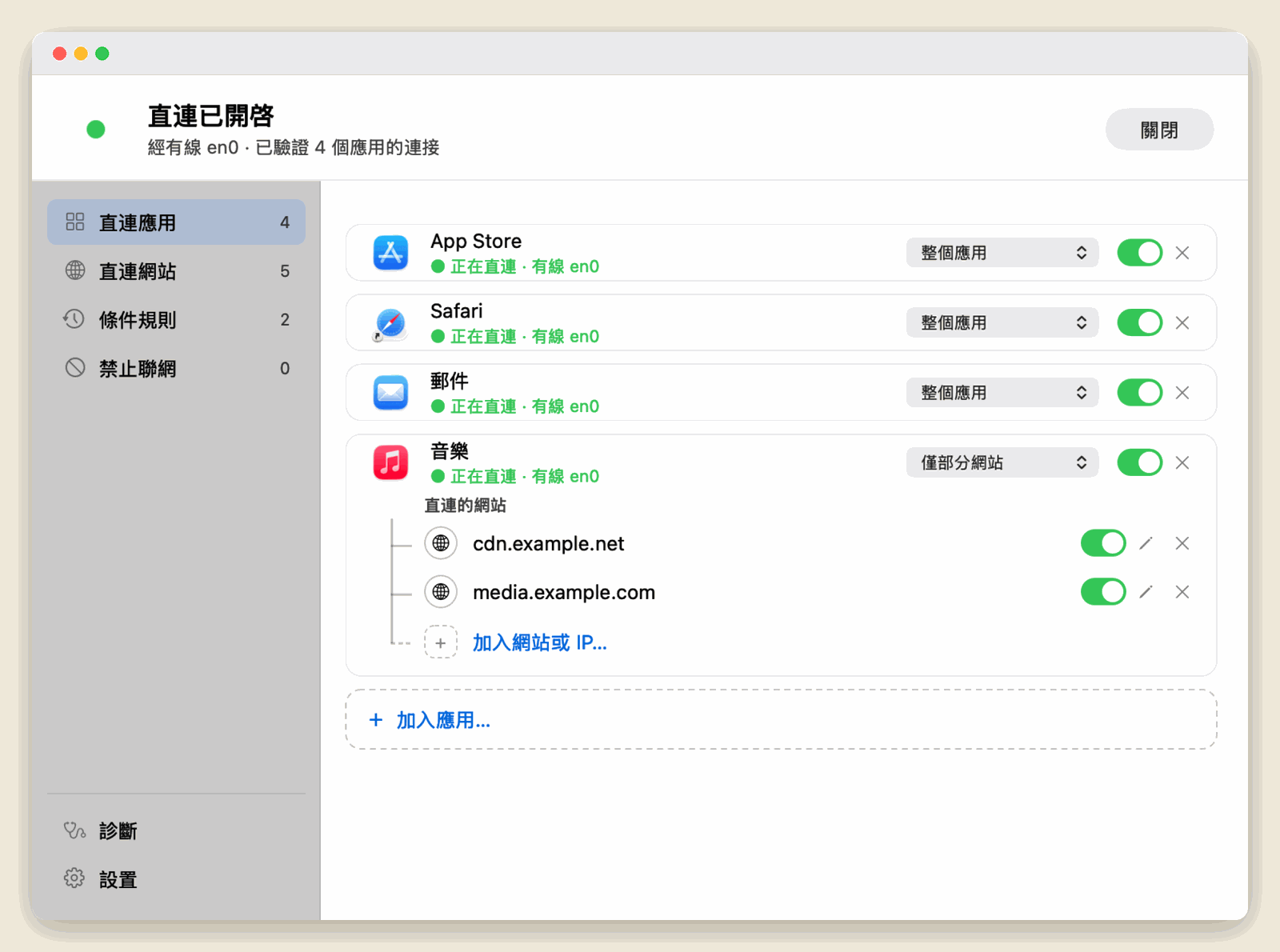
整個應用程式直連,或只讓它的部分網站直連;也可以替網站指定哪些應用程式直連。
某個應用程式開著或關著時,自動讓一組應用程式直連或禁止聯網。例如代理沒開時,不讓敏感應用程式直接上網。
每次開啟先試用 90 秒。網路正常就按「保持開啟」;不確認會自動回復原來的網路,不需要你做任何事。
打開就能用,不註冊、不登入。
沒有廣告與分析,規則只留在你的 Mac。
不改 Clash 等代理設定,沒有代理也能用。
每個應用程式都顯示是否真的走了本機網路卡。
MAC 应用
选中的应用直接从本机网卡联网,其他流量照常走 Clash 或系统网络。
预定售价 US$19.99 · 买断 · macOS 15 及以上
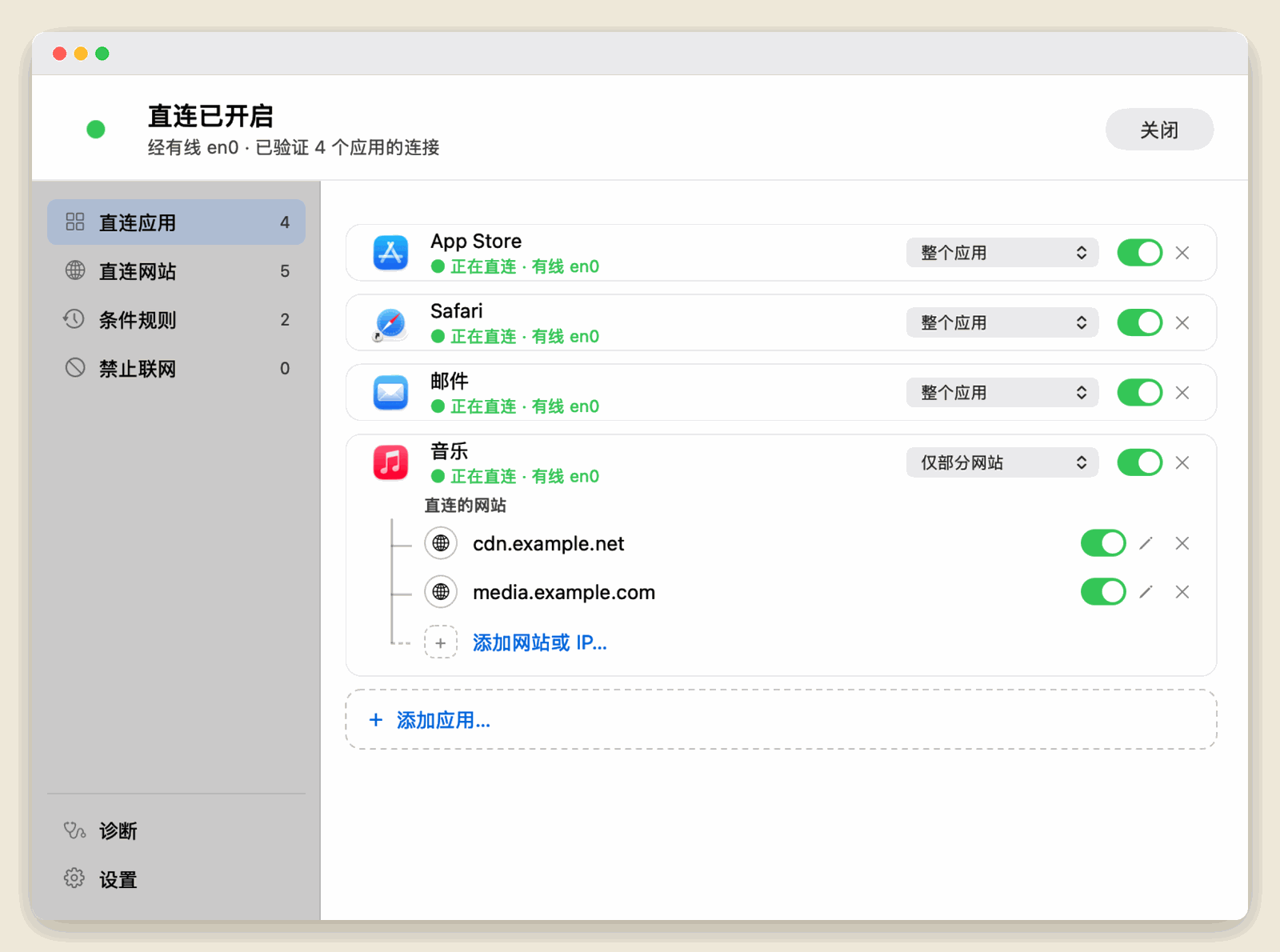
整个应用直连,或只让它的部分网站直连;也可以给网站指定哪些应用直连。
某个应用开着或关着时,自动让一组应用直连或禁止联网。比如代理没开时,不让敏感应用直接上网。
每次开启先试用 90 秒。网络正常就点「保持开启」;不确认会自动恢复原来的网络,不需要你做任何事。
打开就能用,不注册不登录。
没有广告与统计,规则只留在你的 Mac。
不改 Clash 等代理设置,没有代理也能用。
每个应用都显示是否真的走了本机网卡。